AI Grammar Checker Review 2026 explores features, pricing, pros and cons, Free vs Premium comparison, accuracy, performance, and helps you decide if the tool is worth using for writers, students, bloggers, and professionals.
Writing clear and error-free English is important whether you’re a student, blogger, freelancer, or business professional. Grammarly has become one of the most popular AI writing assistants, helping millions of users improve grammar, spelling, clarity, and writing style.
But is Grammarly Premium really worth paying for? In this Grammarly Premium Review, we’ll explore its features, pricing, advantages, disadvantages, and who should consider upgrading.
What is Grammarly Premium?
Grammarly Premium is the paid version of Grammarly, an AI-powered writing assistant that helps users improve grammar, spelling, punctuation, sentence structure, tone, and overall readability.
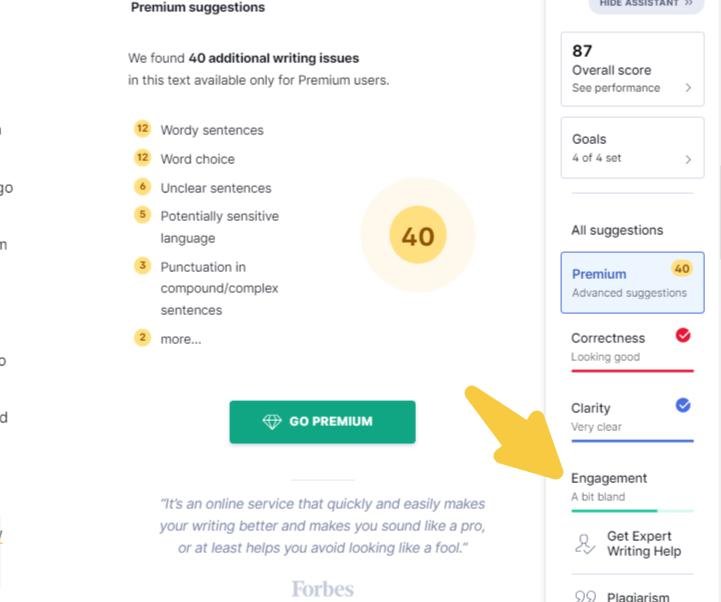
Unlike the free version, Premium provides advanced writing suggestions, AI-powered sentence rewrites, vocabulary improvements, plagiarism detection (on selected plans), and much more.
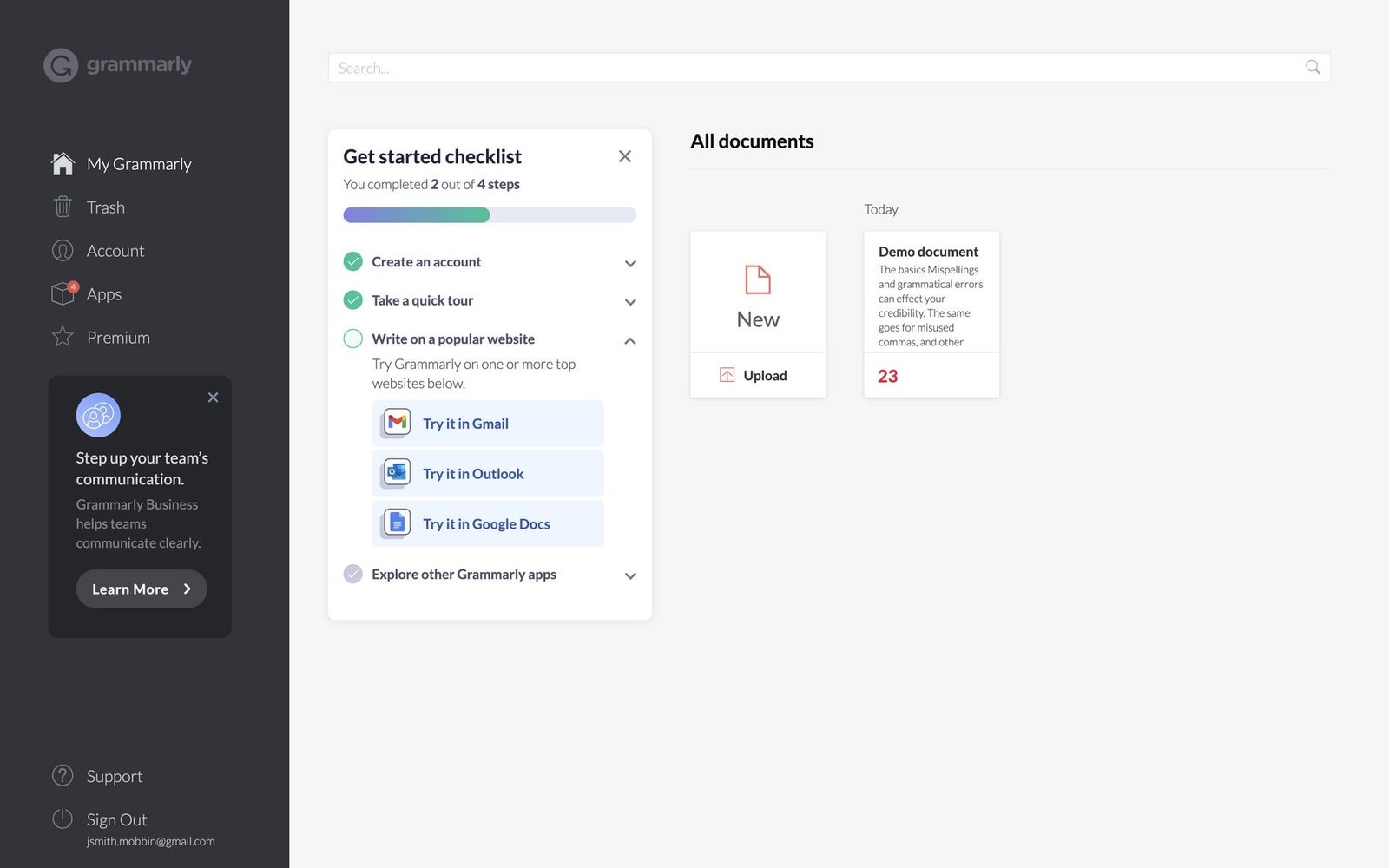
Grammarly Premium Feature
| Feature | Available in Premium |
|---|---|
| Grammar Checker | ✅ |
| Spelling Checker | ✅ |
| Punctuation Corrections | ✅ |
| Sentence Rewrite | ✅ |
| Tone Suggestions | ✅ |
| Vocabulary Enhancement | ✅ |
| Clarity Improvements | ✅ |
| AI Writing Assistance | ✅ |
| Plagiarism Checker* | ✅ (Selected Plans) |
| Style Suggestions | ✅ |
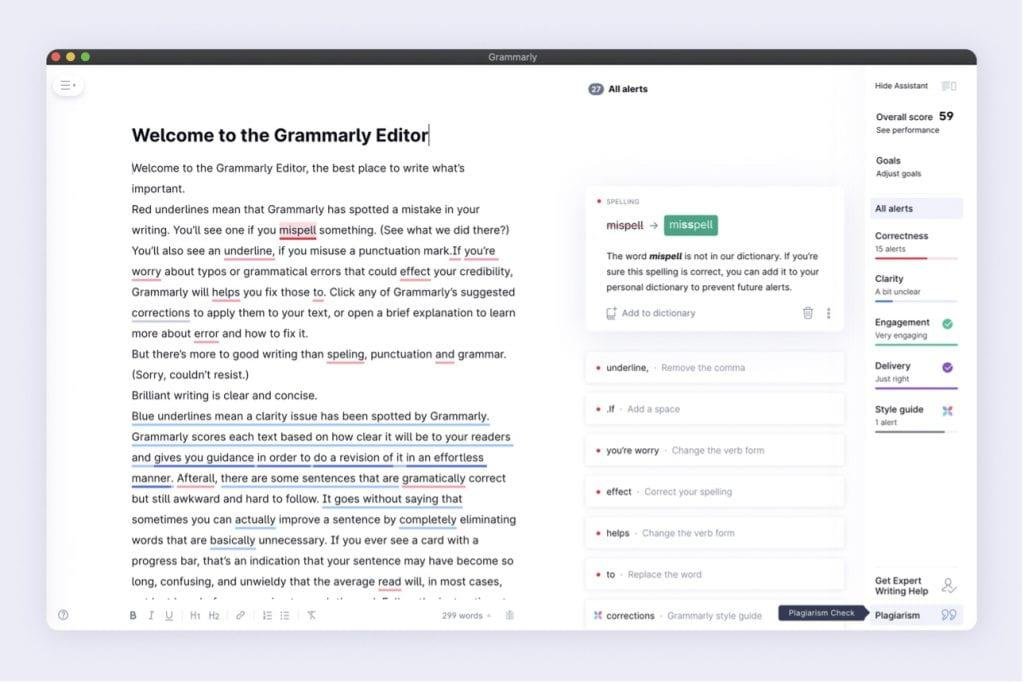
Grammarly Free vs Premium
| Feature | Free | Premium |
|---|---|---|
| Basic Grammar Check | ✅ | ✅ |
| Spelling Corrections | ✅ | ✅ |
| Advanced Grammar Suggestions | ❌ | ✅ |
| Sentence Rewrite | ❌ | ✅ |
| Tone Detection | Limited | Advanced |
| Vocabulary Suggestions | ❌ | ✅ |
| AI Writing Assistance | Limited | Full |
| Plagiarism Checker | ❌ | Selected Plans |
If you only need basic grammar correction, the free version is enough. However, if you write articles, emails, reports, or academic documents regularly, Premium offers much more value.
Grammarly Premium Pricing
Grammarly offers different subscription plans depending on your needs.
| Plan | Best For |
|---|---|
| Monthly | Individual Users |
| Quarterly | Regular Writers |
| Annual | Best Value |
| Business | Teams & Organizations |
Note: Grammarly occasionally offers discounts during special promotions, so pricing may vary.
Pros
- Easy to use
- Accurate grammar suggestions
- AI-powered sentence rewriting
- Improves readability
- Helps maintain professional writing tone
- Works with Google Docs, Microsoft Word, Gmail, and browsers
- Saves time while editing
Cons
- Premium subscription can be expensive for occasional users.
- AI suggestions may sometimes require manual editing.
- Some advanced features require an internet connection.
- Plagiarism checker is not available in every subscription.
How to Use Grammarly Premium
- Create a Grammarly account.
- Purchase a Premium subscription.
- Install the browser extension or desktop application.
- Start writing in supported apps.
- Review AI suggestions and apply them with one click.
Who Should Buy Grammarly Premium?
Grammarly Premium is suitable for:
- Bloggers
- Students
- Freelance Writers
- Content Creators
- Business Professionals
- Copywriters
- Digital Marketers
- Email Writers
If writing is part of your daily work, Premium can save editing time and improve the quality of your content.
Grammarly Premium Alternatives
If Grammarly doesn’t fit your needs, consider these alternatives:
- QuillBot
- ProWritingAid
- LanguageTool
- Hemingway Editor
- Microsoft Editor
- Ginger Software
Is Grammarly Premium Safe?
Yes. Grammarly is a trusted writing assistant used by millions of users worldwide. It uses encryption to protect user data and regularly updates its security measures. As with any online writing tool, avoid uploading highly confidential or sensitive documents unless you’re comfortable with the service’s privacy practices.
Final Verdict
Grammarly Premium is one of the best AI writing assistants available today. It goes beyond basic grammar correction by improving clarity, tone, vocabulary, and overall writing quality.
For bloggers, professionals, students, and anyone who writes frequently in English, the Premium plan can be a worthwhile investment. Casual users, however, may find the free version sufficient for everyday tasks.
Rating: ⭐⭐⭐⭐☆ (4.7/5)
Frequently Asked Questions (FAQs)
Is Grammarly Premium worth buying?
Yes, if you write regularly and want advanced grammar, style, and AI writing suggestions.
Can students use Grammarly Premium?
Yes. It is helpful for assignments, essays, research papers, and academic writing.
Does Grammarly Premium detect plagiarism?
Yes, plagiarism detection is available on selected Grammarly plans.
Can Grammarly Premium work with Google Docs?
Yes. Grammarly supports Google Docs through its browser extension.
Is Grammarly Premium better than the free version?
Yes. Premium includes advanced grammar checks, AI writing assistance, sentence rewrites, and style improvements that are not available in the free version.