Artificial Intelligence is changing the way we work, create and manage daily tasks. AI tools for productivity in 2026 can help with research, note-taking, graphic design, video editing, voiceovers, coding and workflow automation. Instead of using dozens of platforms, beginners can start with a few useful tools and gradually build an AI-powered workflow.
From research and productivity to design, video creation, coding, and automation, several AI-powered platforms now serve different purposes. Here are eight useful AI tools and technologies worth exploring in 2026.
1. Perplexity AI for Faster Research
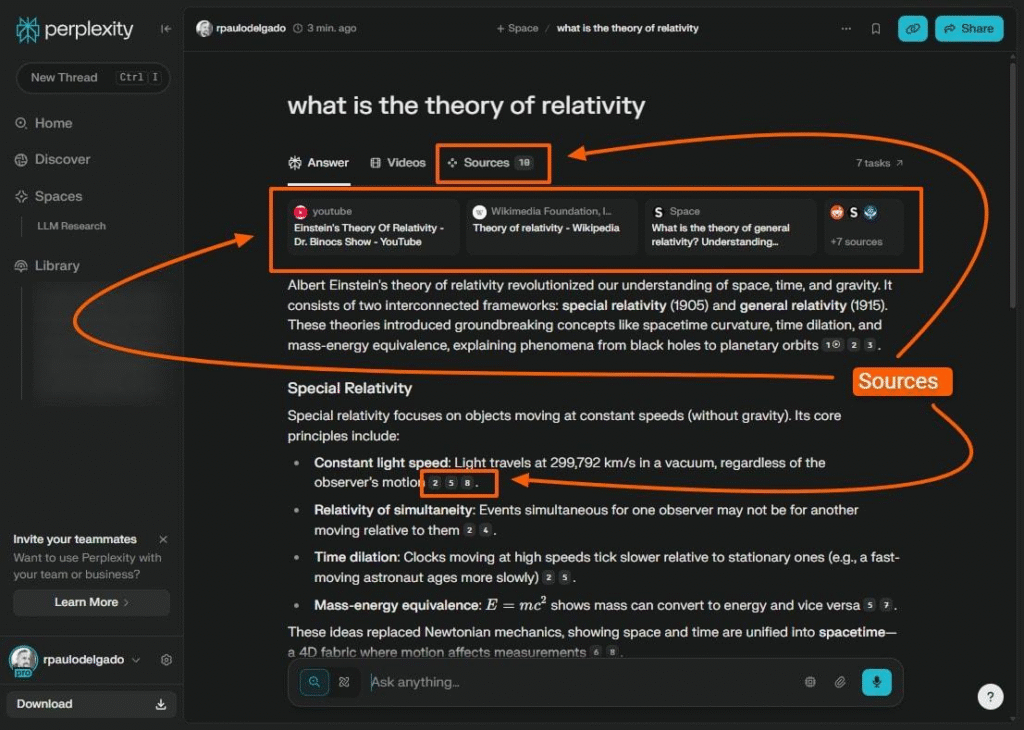
Perplexity AI is designed to help users find information through conversational searches. Rather than going through numerous search results manually, users can ask a question and receive a summarized answer with sources.
What Can You Use It For?
- Researching different topics
- Finding information from multiple sources
- Getting quick explanations
- Exploring a subject through follow-up questions
- Checking sources behind an answer
For students, writers, researchers, and professionals, this can make the initial research process more convenient.
2. Notion AI for Notes and Productivity
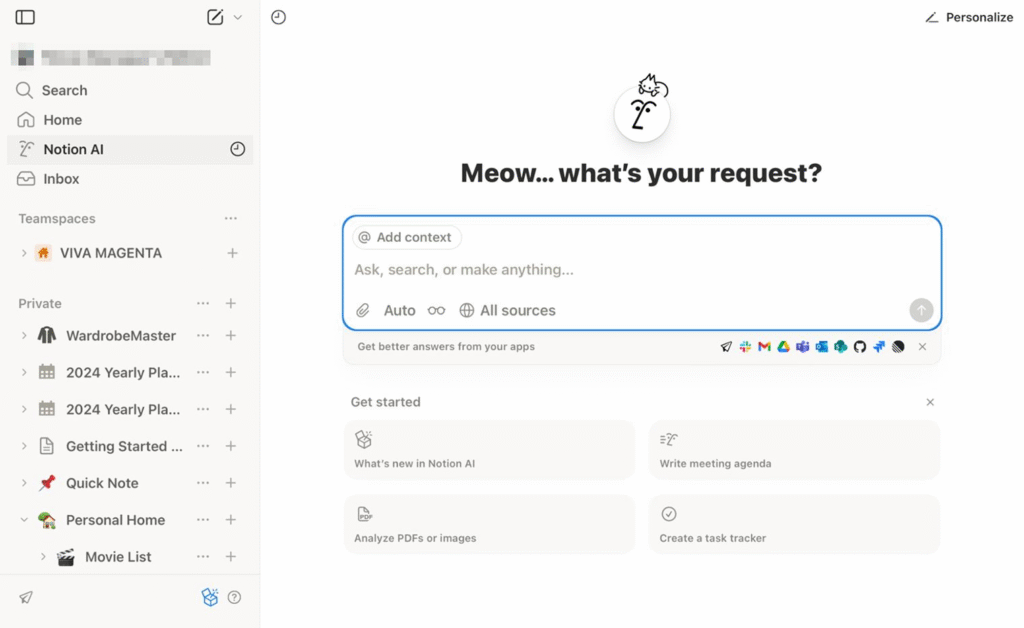
Notion combines documents, notes, databases, and task management in one workspace. Its AI features can assist with organizing and working with information stored in your workspace.
Useful Tasks
- Summarizing notes
- Organizing ideas
- Managing tasks
- Working with written information
- Turning scattered information into a more structured format
For someone managing multiple projects, keeping notes and tasks together can make daily work easier to track.
3. Canva AI for Quick Visual Content
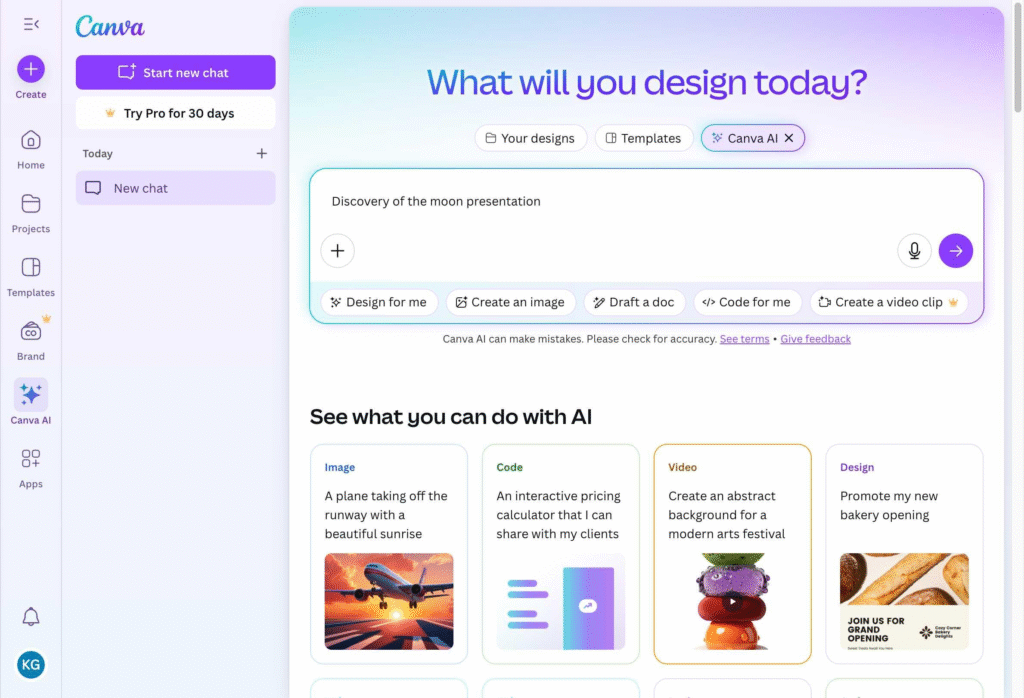
Canva has become a popular option for people who need to create visual content without advanced graphic-design experience. Its AI-powered features can assist with different stages of the design process.
What Can You Create?
- Social media graphics
- Presentations
- Marketing visuals
- Posters
- Other digital content
This makes Canva particularly useful for bloggers, small businesses, social media managers, and creators who need attractive designs without spending a lot of time learning complicated software.
4. Runway for AI-Powered Video Creation
Runway focuses on AI-assisted video creation and editing. It can help creators speed up parts of their video workflow and generate video content from text-based instructions.
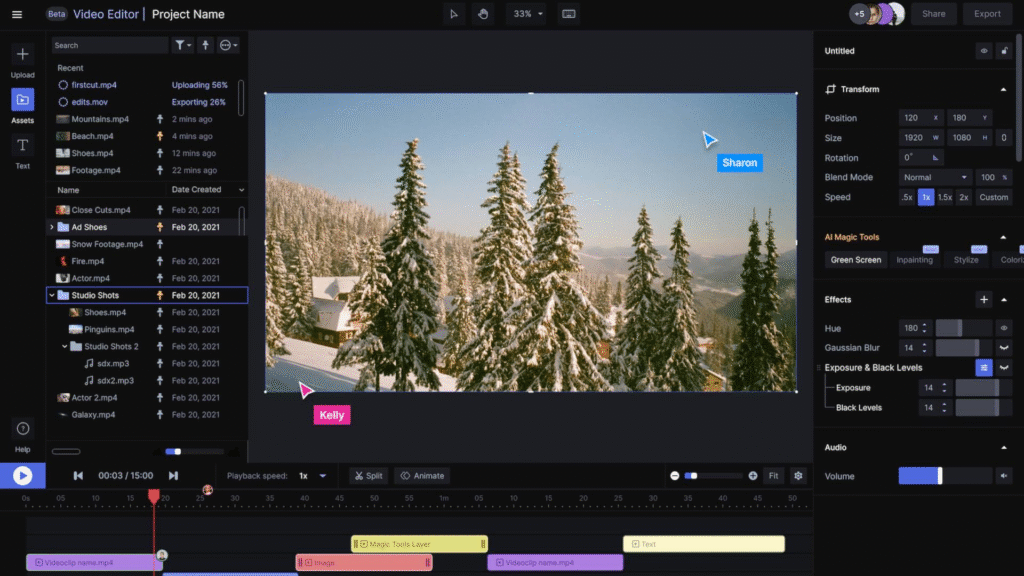
Runway Can Help With
- Faster video editing
- Creating clips from text prompts
- Experimenting with visual ideas
- Developing content for creative projects
For video creators, these capabilities can reduce the time needed to turn an idea into an initial visual concept.
5. ElevenLabs for Natural-Sounding Voice
ElevenLabs provides AI voice technology that can generate realistic-sounding speech. This can be useful when creators need narration or voiceovers without recording every line themselves.
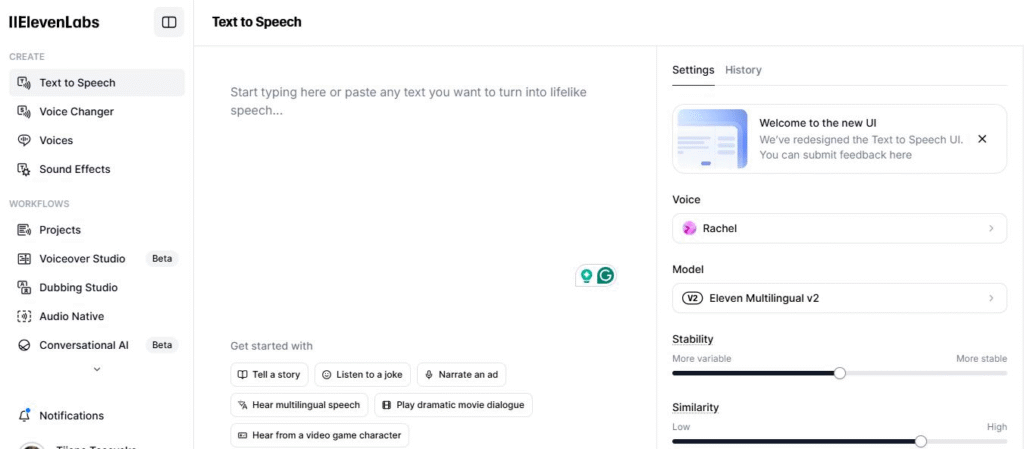
Common Uses
- YouTube narration
- Short-form videos
- Reels
- Voiceovers
- Audio content
The technology is designed to produce natural-sounding voices, making it useful for creators who regularly produce narrated content.
6. GitHub Copilot for AI-Assisted Coding
GitHub Copilot is an AI coding assistant designed to help developers while they write software. It can suggest code and assist with programming tasks.
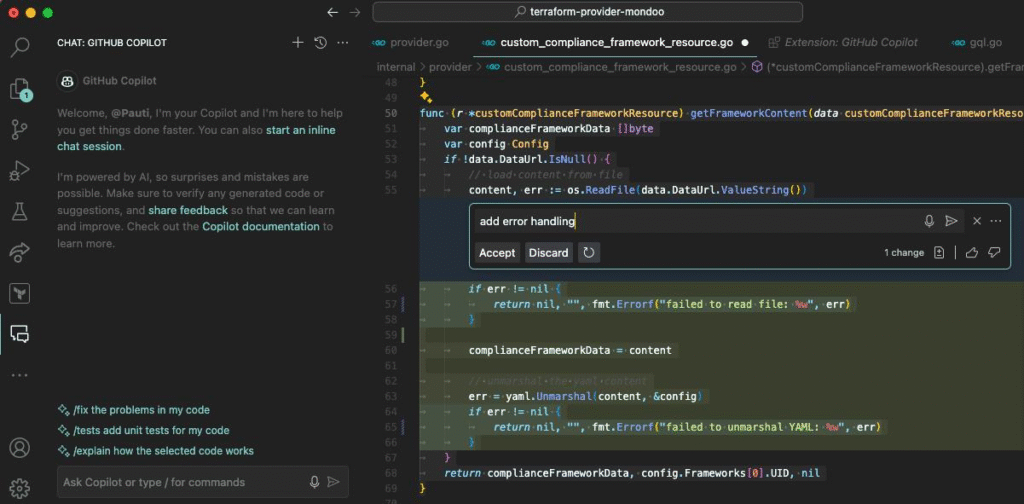
How Developers Can Use It
- Generate code suggestions
- Explain or work with existing code
- Help identify and fix errors
- Speed up repetitive coding tasks
- Explore possible implementations
It does not remove the need for programming knowledge. Developers still need to review suggestions, test their code, and check whether the output meets their requirements.
7. Zapier AI for Workflow Automation
Zapier helps users connect different applications and automate repetitive workflows. AI features can make it easier to build and manage certain automated processes.
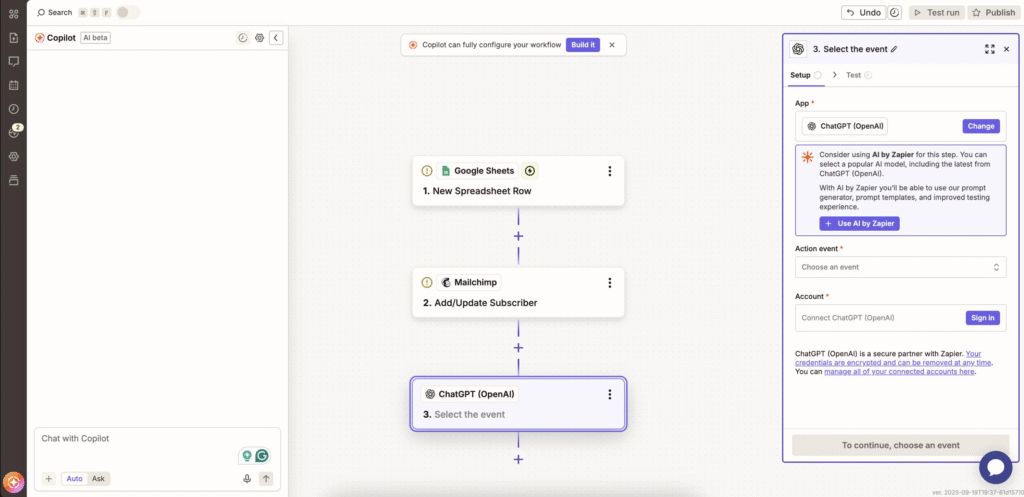
Examples of Automation
A workflow could be designed to:
- Connect information between different apps
- Move data automatically
- Trigger actions after a specific event
- Reduce repetitive manual tasks
- Keep routine processes running in the background
For people who perform the same digital tasks every day, automation can potentially save significant time.
8. AI Agents and the Next Stage of Automation
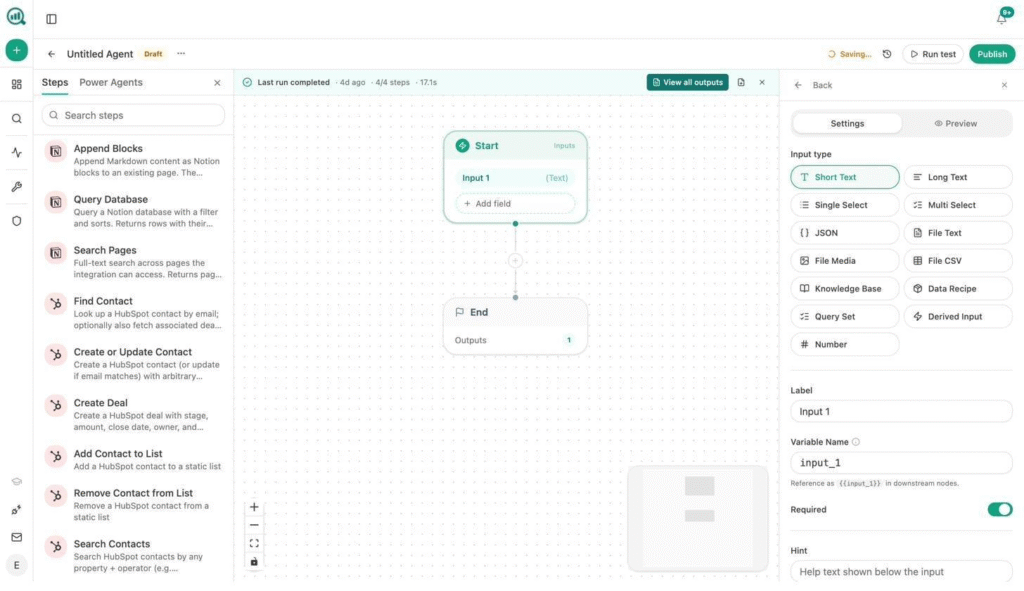
AI agents represent a broader development in artificial intelligence. Instead of simply responding to individual prompts, an agent can be designed to handle a sequence of tasks toward a particular goal.
What Makes AI Agents Different?
Depending on the system, an AI agent may be able to:
- Understand a task
- Break it into smaller steps
- Decide what actions are required
- Use connected tools
- Execute tasks with less manual intervention
This area is developing quickly, and the capabilities of AI agents vary significantly between platforms and applications.
Quick Comparison of These AI Tools
| AI Tool | Main Purpose | Useful For |
|---|---|---|
| Perplexity AI | Research and answers | Research, information discovery |
| Notion AI | Productivity | Notes, ideas, task management |
| Canva AI | Design | Posts, presentations, visual content |
| Runway | Video creation | Video editing and generation |
| ElevenLabs | Voice generation | Narration, voiceovers, videos |
| GitHub Copilot | Coding assistance | Software development |
| Zapier AI | Automation | Repetitive digital workflows |
| AI Agents | Task execution | Multi-step automated work |
How AI Can Change Your Daily Workflow
The biggest benefit of AI is not necessarily using the largest number of tools. It is finding tools that remove unnecessary manual work from your routine.
For example, a content creator might use one tool to research a topic, another to create graphics, and an automation platform to move information between applications.
A developer may use AI coding assistance for repetitive programming tasks while spending more time reviewing architecture and solving complex problems.
The goal is simple: use AI to reduce routine work so you can concentrate on tasks that require your judgment and creativity.
Don’t Try Every AI Tool at Once
The growing number of AI applications can make it tempting to experiment with everything. That can actually make your workflow more complicated.
A better approach is to start small.
A Simple AI Setup for Beginners
Start with three categories:
- One general AI assistant — for questions, writing, brainstorming, and everyday tasks.
- One design tool — for graphics and visual content.
- One automation tool — for repetitive digital workflows.
Use these consistently before adding more tools.
AI Works Best as an Assistant
AI can make many tasks faster, but it should not replace human judgment.
Information should still be checked, AI-generated code should be tested, designs should be reviewed, and automated workflows should be monitored.
The most useful approach is to treat AI as a productivity assistant rather than something that can make every decision independently.
What Should You Do With AI in 2026?
You do not need to become an AI expert overnight. Start by identifying one task that regularly consumes your time.
If research takes too long, try an AI research assistant. If creating social media graphics is difficult, explore an AI design platform. If repetitive digital tasks consume your day, look into automation.
Once you find a tool that genuinely saves time, make it part of your regular workflow.
Conclusion
AI tools are becoming useful across almost every type of digital work. Research assistants can speed up information discovery, productivity tools can organize ideas, design platforms can simplify visual creation, and coding and automation tools can reduce repetitive work.
The key is not to collect dozens of AI applications. Choose a few tools that solve real problems in your daily routine and learn how to use them effectively.
Your time is limited, and using AI thoughtfully can help you spend more of it on meaningful, creative, and important work.
Frequently Asked Questions (FAQs)
1. What are the most useful AI tools for everyday work?
Useful options include Perplexity AI for research, Notion AI for productivity, Canva AI for design, GitHub Copilot for coding, and Zapier AI for workflow automation.
2. Can AI tools really save time?
Yes. AI can reduce the time spent on tasks such as research, summarization, drafting, design assistance, coding suggestions, and repetitive digital workflows.
3. Which AI tool is useful for research?
Perplexity AI is designed for conversational research and provides answers with sources, making it useful for exploring topics and finding relevant information.
4. Which AI tool can help with graphic design?
Canva provides AI-assisted design features that can help users create social media content, presentations, and other visual materials without advanced design skills.
5. What is Runway used for?
Runway is an AI-powered platform focused on video creation and editing. It can help creators edit videos and generate certain video content from text instructions.
6. What is ElevenLabs used for?
ElevenLabs provides AI voice technology that can generate realistic-sounding speech. It can be used for narration, YouTube videos, reels, and other voiceover applications.
7. Can GitHub Copilot write code?
GitHub Copilot can provide code suggestions and assist developers with programming tasks. Developers should still review, test, and validate the generated code.
8. What does Zapier AI do?
Zapier AI can assist with workflows that connect different applications and automate repetitive tasks, reducing the amount of manual work required.
9. What are AI agents?
AI agents are systems designed to handle multi-step tasks by interpreting goals, planning actions, and using available tools or systems to complete parts of the workflow.
10. Should beginners use many AI tools?
No. Beginners can usually benefit more from starting with a small set of tools that solve specific problems. Once those tools become part of their workflow, they can gradually explore additional AI solutions.